
The internet is built on connections, and hyperlinks are the invisible bridges that connect one piece of information to another. Every time someone clicks a website menu, opens an online article, accesses a downloadable file, or jumps from one webpage to another, a hyperlink is doing the work behind the scenes. Despite being such an important part of digital communication, many people still feel unsure about how hyperlinks are actually created. Some assume it requires coding knowledge, while others believe it is a technical process best left to web developers. The truth is much simpler. Creating a hyperlink is one of the easiest digital skills to learn, and once you understand the basic method, you can use it almost anywhere online.
Hyperlinks are useful in nearly every type of digital content. Students use them in research papers and assignments, businesses use them in marketing campaigns and emails, bloggers rely on them for internal linking, and professionals add them to presentations, resumes, and reports. Hyperlinks improve navigation, make information easier to access, and create a smoother experience for readers. Instead of manually searching for information, users can simply click and move directly to the intended destination.
The process of creating a hyperlink generally follows the same pattern regardless of the platform being used. Whether you are working in Google Docs, Microsoft Word, Gmail, WordPress, Canva, or a website editor, hyperlinking usually takes only a few seconds. This guide explores how hyperlinks work, why they matter, and how you can create them in three simple steps while also understanding the best ways to use them effectively.
Understanding What a Hyperlink Really Is
A hyperlink is a clickable element that connects one digital location to another. Most hyperlinks appear as highlighted or underlined text, although they can also exist as buttons, images, icons, or graphics. When someone clicks a hyperlink, they are automatically redirected to another webpage, file, section, or online resource. This ability to instantly connect information is one of the reasons the internet functions so efficiently.
Every hyperlink contains two important parts. The first part is the visible text or object that users interact with, commonly known as anchor text. The second part is the hidden destination URL that determines where the user will be directed after clicking. For example, a phrase like “read the complete guide” may contain a hidden web address leading to another article or webpage. Readers only see the clickable phrase, while the URL operates in the background.
Hyperlinks can connect to many types of destinations. Some links open websites, while others lead to downloadable documents, videos, contact forms, social media pages, or email addresses. Internal hyperlinks can even direct readers to another section within the same document or webpage. This flexibility makes hyperlinks an essential part of modern communication and online navigation.
Without hyperlinks, the internet would become far more difficult to use. Users would constantly need to copy and paste URLs manually into browsers, making digital experiences slow and frustrating. Hyperlinks eliminate that inconvenience by creating instant pathways between online resources.
Why Hyperlinks Matter in Digital C ommunication
Hyperlinks are much more important than they may initially appear. They are not simply decorative clickable elements added to content. Instead, hyperlinks improve usability, organization, accessibility, and engagement across digital platforms.
One major benefit of hyperlinks is convenience. Readers appreciate being able to access additional information instantly without needing to search for it themselves. A well-placed hyperlink saves time and creates a smoother user experience. For example, an online article discussing digital marketing trends may include hyperlinks to research studies, case reports, or related blog posts. Readers can continue exploring the topic naturally without leaving the flow of the content.
Hyperlinks also help organize digital information more effectively. Websites use internal links to guide visitors toward related pages, products, services, or articles. This creates a logical navigation structure and encourages users to spend more time exploring content. Businesses often rely on hyperlinks to move customers through sales funnels by directing them toward product pages, booking forms, or newsletters.
Another important advantage of hyperlinks is credibility. Academic writers, journalists, researchers, and bloggers frequently use hyperlinks to cite sources and support claims. Readers tend to trust content more when they can verify information themselves through linked references.
Search engines also pay close attention to hyperlinks. Internal and external linking structures help search engines understand website organization, topic relevance, and authority. Strong linking strategies often improve search engine optimization and website visibility.
The Simple Structure Behind Every Hyperlink
Although hyperlinks may seem technical, their structure is actually very straightforward. At its core, every hyperlink simply combines clickable content with a destination address.
The clickable portion is usually text, but it can also be an image, graphic, or button. The destination is normally a URL, which acts as the digital address of the webpage or resource being linked.
For example, instead of displaying a long web address directly inside a paragraph, writers usually attach the URL to a phrase like “visit our website” or “download the report.” This creates cleaner and more professional-looking content while improving readability.
Modern digital platforms make hyperlinking especially simple because they automatically handle the technical coding behind the scenes. Most users never need to write HTML manually because visual editors create hyperlinks automatically through menus and shortcut tools.
Still, understanding the basic relationship between anchor text and destination URLs helps users create more effective and user-friendly hyperlinks.
How to Create a Hyperlink in 3 Easy Steps
Step One: Copy the Destination URL
The first step in creating a hyperlink is identifying the destination you want users to visit. This could be a webpage, article, downloadable document, video, online form, or any other digital resource. Once you open the destination page in your browser, you simply copy the URL from the address bar at the top of the screen.
The URL acts as the digital address for the hyperlink. Without this address, the link would have nowhere to direct users. Accuracy is extremely important during this step because even a small mistake in the URL can result in broken links or error pages.
Professional content creators often test URLs before publishing content to ensure everything works properly. It is also important to choose reliable and trustworthy sources when linking externally. Readers are more likely to trust content that connects to credible websites and authoritative resources.
Long URLs may sometimes appear messy inside content, but once they are attached to anchor text, the visible appearance becomes much cleaner and easier to read.
Step Two: Highlight the Text or Object
After copying the destination URL, the next step is selecting the text, image, or object that will become clickable. This highlighted content is known as anchor content.
Most people use words or phrases because text hyperlinks blend naturally into written content. For example, instead of pasting an entire URL into a paragraph, a writer may highlight a phrase like “social media marketing guide” and turn those words into a hyperlink.
Good anchor text is important because it provides context for readers. Clear wording helps users understand what they can expect after clicking the link. Search engines also analyze anchor text to better understand the relationship between linked pages.
Images and buttons can function as hyperlinks as well. Many websites use clickable banners, logos, and navigation buttons to guide visitors toward important sections or pages.
Descriptive anchor text usually performs better than generic phrases like “click here” because it improves both readability and usability.
Step Three: Insert the Hyperlink
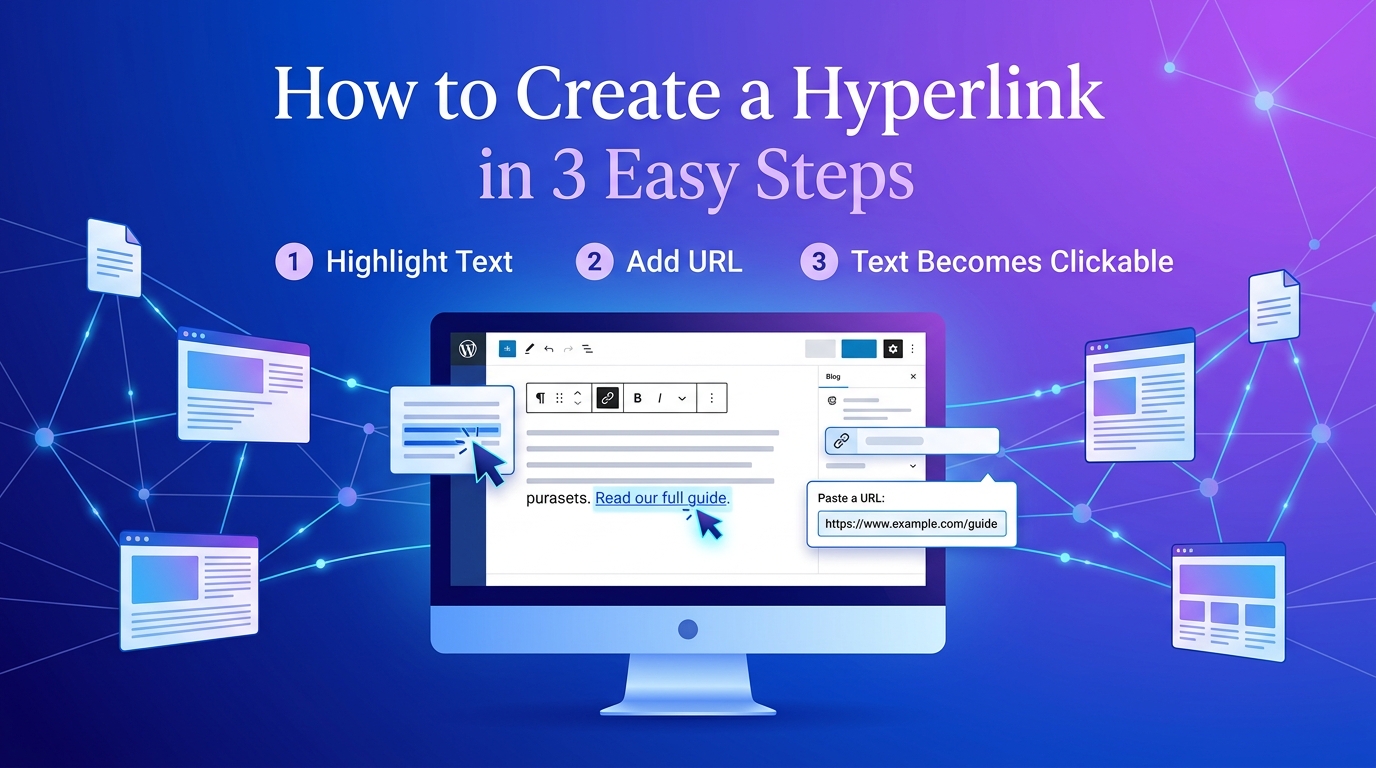
The final step is attaching the copied URL to the selected text or object. Most digital platforms provide a hyperlink button represented by a chain icon or link symbol. Clicking this option usually opens a small pop-up window where users can paste the copied URL.
Once the link is inserted and confirmed, the selected text instantly becomes clickable. Keyboard shortcuts also make the process even faster. In programs like Microsoft Word and Google Docs, users can press Ctrl + K on Windows or Command + K on Mac to open the hyperlink menu immediately.
After creating the hyperlink, testing it is always recommended. Clicking the link confirms that it directs users to the correct destination. Broken links can frustrate readers and reduce professionalism, so checking functionality before publishing is an important habit.
Hyperlink Creation Across Different Platforms
| Platform | Hyperlink Method | Difficulty Level |
| Google Docs | Highlight text and insert link | Very Easy |
| Microsoft Word | Use hyperlink tool or shortcut | Very Easy |
| Gmail | Insert link through formatting menu | Easy |
| WordPress | Highlight text and add URL | Easy |
| Canva | Add link through toolbar | Easy |
| PowerPoint | Insert hyperlink option | Easy |
| HTML | Manual anchor tag coding | Intermediate |
Hyperlinks in Professional and Academic Writing
Hyperlinks are widely used in professional communication because they make documents cleaner and easier to navigate. Businesses frequently hyperlink phrases like “download the brochure” or “schedule a consultation” rather than displaying long URLs directly inside emails or reports.
In academic writing, hyperlinks help students and researchers connect readers to source materials, journal articles, and online references. This improves transparency and allows readers to verify information independently.
Hyperlinks are also common in resumes, portfolios, presentations, and proposals. Professionals often include hyperlinks directing employers or clients toward websites, LinkedIn profiles, or work samples.
As remote communication continues growing, hyperlink literacy is becoming an increasingly valuable skill across industries.
Common Hyperlink Mistakes to Avoid
Although hyperlinking is simple, several mistakes appear frequently in digital content. One common issue involves using vague anchor text such as “read more” or “click here.” These phrases provide little context and reduce clarity for readers.
Broken links are another major problem. Websites sometimes change URLs or remove pages entirely, leaving hyperlinks unusable. Regularly testing links helps maintain professionalism and prevents frustration.
Some writers overload paragraphs with excessive hyperlinks, making content feel cluttered and distracting. Effective hyperlinking focuses on relevance rather than quantity.
Linking to unreliable or low-quality websites can also damage credibility. Readers tend to trust content more when hyperlinks connect to authoritative and respected sources.
Best Practices for Effective Hyperlinking
Strong hyperlinking involves more than simply inserting URLs into text. Strategic linking improves usability, readability, and content quality.
One important practice is keeping anchor text natural within sentence structure. Hyperlinks should feel integrated into the content rather than forced or awkward.
Writers should also prioritize relevance. Every hyperlink should support the surrounding discussion and provide genuine value to readers.
Testing hyperlinks before publishing is essential because broken links create negative user experiences. For websites and blogs, internal linking strategies can improve navigation and strengthen search engine optimization.
Accessibility is another important consideration. Clear hyperlink wording helps screen readers and improves navigation for users with disabilities.
Professional hyperlinking always prioritizes user experience first.
Conclusion
Learning how to create a hyperlink is one of the simplest yet most valuable digital skills anyone can develop. Hyperlinks connect information, improve navigation, strengthen communication, and create more interactive online experiences. Whether you are writing a blog post, sending an email, preparing a presentation, or building a website, hyperlinks help readers access information quickly and efficiently.
The process itself is surprisingly straightforward. By copying a destination URL, selecting anchor text, and inserting the hyperlink, users can create clickable links in just a few seconds. These same three easy steps apply across most digital platforms, making hyperlinking an accessible skill for beginners and professionals alike.
As the internet continues evolving, hyperlinks will remain one of the most important tools for organizing and sharing digital information. Mastering this simple process not only improves technical confidence but also enhances the overall quality and professionalism of digital content.
