
Writing software has changed dramatically over the last few years. What once began as simple spellcheck technology has now evolved into AI-powered writing ecosystems capable of rewriting sentences, analyzing tone, detecting plagiarism, improving SEO structure, and even generating entire articles. In the middle of this increasingly crowded market, Hemingway Editor continues to stand apart because it refuses to compete on complexity. Instead, it focuses on one thing above all else: clarity.
For many writers, that simplicity is exactly why the tool remains relevant. Hemingway Editor does not try to become your creative partner or your automated ghostwriter. It does not overwhelm users with predictive text or dozens of microscopic grammar warnings. It acts more like a strict human editor who circles unnecessary words with a red pen and asks a very direct question: “Can this sentence be clearer?”
That approach has earned Hemingway Editor a loyal audience among bloggers, journalists, marketers, students, business writers, and nonfiction authors who want sharper, cleaner prose. At the same time, the software has also attracted criticism from writers who feel its editing philosophy can become overly rigid and simplistic. In an era where modern competitors now offer advanced AI assistance, contextual rewriting, collaborative editing systems, and multilingual support, some users wonder whether Hemingway Editor still deserves a place in a professional writing workflow.
The truth sits somewhere in the middle. Hemingway Editor remains one of the best readability-focused editing tools available today, but it is not a perfect solution for every type of writer. Understanding where it excels and where it struggles is essential before deciding whether it deserves space in your toolkit.
Understanding the Philosophy Behind Hemingway Editor
To understand why Hemingway Editor feels so different from competing software, it helps to understand the philosophy driving its design. The application takes inspiration from the writing style of legendary American author Ernest Hemingway, whose prose became famous for being concise, emotionally restrained, and highly readable. Hemingway’s work avoided unnecessary complexity. His sentences were often short, direct, and stripped of decorative language.
The software attempts to replicate those principles digitally.
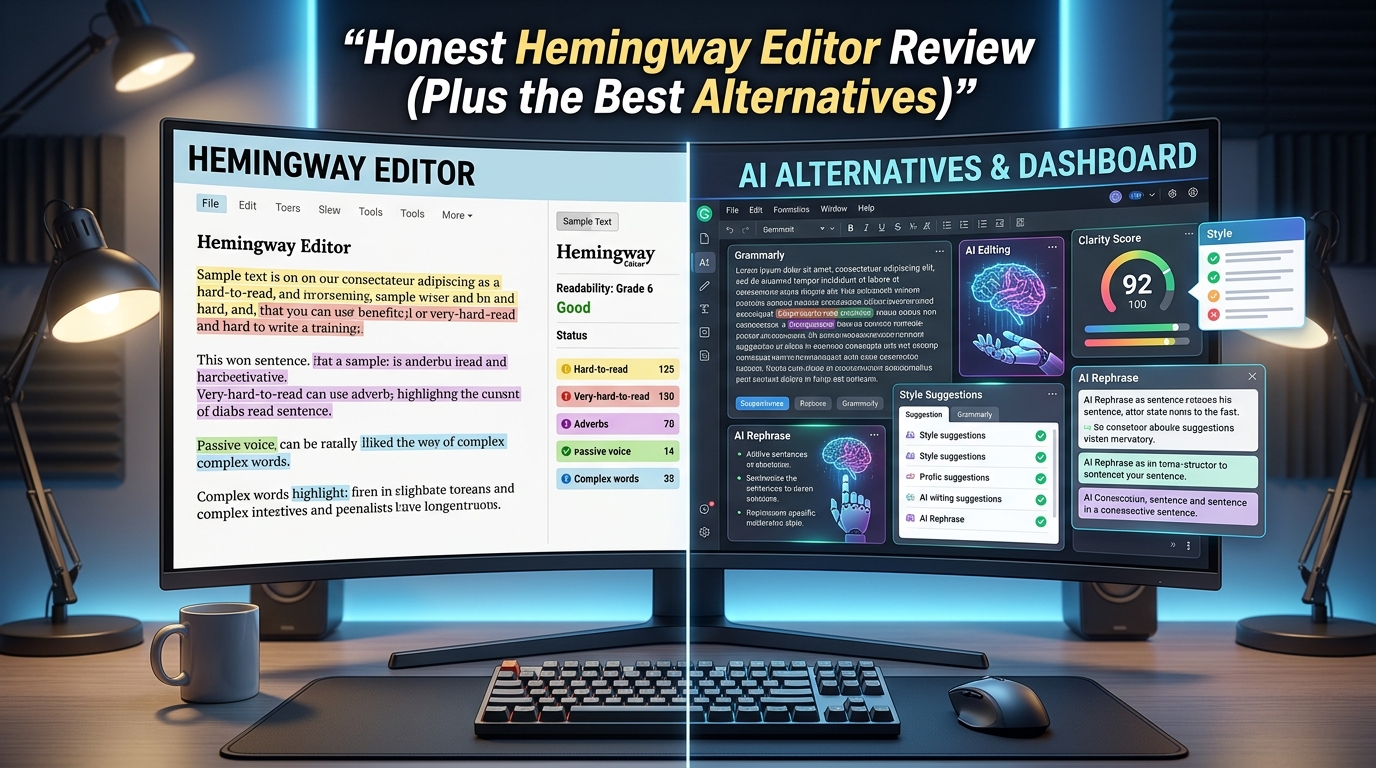
When you paste text into Hemingway Editor, the program immediately scans your writing for readability problems. Long or complicated sentences are highlighted in yellow or red depending on difficulty level. Passive voice appears in green. Adverbs show up in blue. Complex phrases receive purple highlights with suggested simplifications. A readability score also appears on the side panel, estimating the educational level required to comfortably understand the text.
Unlike traditional grammar software, Hemingway Editor does not spend most of its time correcting commas or fixing spelling errors. Instead, it focuses almost entirely on flow and readability. Its goal is not technical perfection. Its goal is communication efficiency.
That distinction matters because readability and grammar are not always the same thing. A grammatically perfect sentence can still feel exhausting to read. Hemingway Editor prioritizes reader experience above linguistic complexity.
This focus has made the software especially popular among digital writers creating content for online audiences. Internet readers rarely move through articles slowly. Most people skim. They scan headlines, jump between paragraphs, and leave quickly if content feels dense or confusing. Hemingway Editor was practically built for this environment.
According to multiple professional reviews and user discussions, the software remains one of the strongest tools for improving readability without dramatically changing a writer’s original message.
The First Experience Using Hemingway Editor
One of the most striking things about Hemingway Editor is how immediate the editing experience feels. There is almost no learning curve. The moment text appears inside the editor, the software begins highlighting potential issues in real time.
The interface itself is intentionally minimalistic. There are no crowded dashboards, no aggressive popups, and no endless suggestion menus competing for attention. Compared to feature-heavy platforms like Grammarly or ProWritingAid, Hemingway feels almost old-fashioned in its simplicity.
Surprisingly, that simplicity becomes one of its greatest strengths.
Many writers experience editing fatigue when using modern AI-powered software because they receive constant recommendations on every sentence. Some tools produce so many suggestions that writers begin second-guessing every stylistic choice they make. Hemingway Editor avoids that psychological overload. The software presents feedback visually and allows writers to decide which changes actually matter.
The color-coded system works particularly well because it creates instant awareness. When an entire paragraph turns yellow and red, writers immediately recognize that readability has become an issue. The feedback feels intuitive instead of overly technical.
For bloggers and content marketers especially, this workflow can dramatically improve editing speed. Rather than spending hours debating sentence structure, writers can quickly identify bloated phrasing and simplify it without losing meaning.
That speed makes Hemingway Editor useful not only for professional writers but also for business owners, freelancers, students, and beginner creators who may not have formal editing experience.
Why Hemingway Editor Works So Well for Online Writing
Online writing operates differently from traditional publishing. Readers on websites, blogs, newsletters, and social platforms consume information rapidly. Attention spans are shorter, competition is constant, and clarity directly affects engagement.
This is where Hemingway Editor becomes genuinely valuable.
The software forces writers to confront unnecessary complexity. Many people unknowingly write sentences that are technically correct but mentally draining. They stack multiple clauses together, rely heavily on passive voice, or overuse adverbs and filler phrases. Hemingway Editor exposes those habits immediately.
For SEO content writers, this can improve audience retention significantly. Search engines increasingly reward content that users actually engage with. If readers quickly leave a page because the writing feels difficult or confusing, rankings often suffer over time.
Hemingway’s readability focus aligns naturally with modern content marketing principles. Shorter sentences, cleaner structure, and stronger clarity improve user experience across nearly every digital platform.
The tool also helps eliminate what many editors call “academic inflation.” This happens when writers unconsciously use complicated language to sound more intelligent or authoritative. Unfortunately, overly intellectual phrasing often weakens communication rather than strengthening it.
Hemingway Editor constantly pushes writers toward simpler expression. In many cases, that pressure improves the final product dramatically.
Marketing agencies, journalists, copywriters, and email marketers often benefit most from this editing philosophy because their work depends on delivering information quickly and persuasively.
The Problem With Following Hemingway Editor Too Strictly
Despite its strengths, Hemingway Editor can also create problems when users follow its recommendations too aggressively.
Good writing is not always simple writing.
Some ideas require complexity. Emotional storytelling often depends on rhythm, pacing, layered descriptions, and stylistic variation. Fiction writers especially may intentionally use longer sentences to create atmosphere, tension, or psychological depth.
Hemingway Editor frequently interprets those creative choices as weaknesses.
This creates one of the biggest criticisms surrounding the software. If writers obey every readability suggestion mechanically, their prose can begin sounding repetitive, flat, or emotionally sterile. Sentences become uniformly short. Paragraphs lose musicality. Voice starts disappearing beneath optimization.
This issue appears regularly in discussions among novelists and experienced editors. Many writers appreciate Hemingway as a diagnostic tool but reject the idea of treating its recommendations as absolute rules.
The software also struggles with nuance. Human editors understand context. They recognize when breaking readability rules serves emotional or artistic purpose. Hemingway Editor cannot fully distinguish intentional style from accidental complexity.
As a result, fiction writers often use the software selectively rather than comprehensively. They may check for excessive passive voice or genuinely confusing sentences while ignoring suggestions that interfere with tone or pacing.
For creative professionals, balance becomes essential. Hemingway Editor works best as an assistant rather than a dictator.
Grammar Limitations Become More Noticeable Over Time
Another weakness becomes obvious once users compare Hemingway Editor directly against modern competitors: grammar support remains relatively basic.
The software catches some obvious issues, but it lacks the sophisticated contextual understanding found in advanced AI editing platforms. Tools like Grammarly and ProWritingAid analyze writing far more deeply. They evaluate tone consistency, sentence variety, clarity, grammar accuracy, vocabulary overuse, pacing, and even stylistic fingerprints.
Hemingway Editor focuses almost exclusively on readability mechanics.
For casual blogging, that may be perfectly fine. For professional publishing or high-level editing, the limitations become harder to ignore.
Academic writers, legal professionals, technical writers, and researchers often require more advanced grammar analysis than Hemingway can provide. The software does not deeply examine citation structures, technical formatting, or specialized language patterns.
There is also limited collaboration functionality compared to cloud-based alternatives. Modern writing teams increasingly work across shared digital environments with live editing, version history, and workflow integrations. Hemingway Editor still feels primarily designed for individual use.
These limitations do not necessarily make the software bad. They simply define its role more clearly. Hemingway Editor is not trying to become a complete writing ecosystem. It is trying to become a readability specialist.
Hemingway Editor Pricing Still Gives It an Advantage
One area where Hemingway Editor continues performing extremely well is affordability.
Many writing tools now operate entirely through recurring subscription models. Monthly fees can quickly become expensive, especially for freelancers, students, or independent creators managing multiple software costs simultaneously.
Hemingway Editor remains refreshingly simple in comparison.
The web version still offers free readability editing for basic use, while the desktop version relies largely on one-time payment pricing rather than aggressive subscriptions. For budget-conscious writers, this alone makes the software attractive.
Writers who only need readability assistance may find Hemingway Editor far more cost-effective than paying ongoing fees for advanced AI systems they rarely use.
This pricing structure also appeals to people who dislike the increasing commercialization of writing software. Many users appreciate owning a tool outright rather than renting access indefinitely.
In a software market dominated by subscription fatigue, Hemingway Editor’s pricing model feels increasingly rare.
Best Alternatives to Hemingway Editor
While Hemingway Editor remains valuable, several alternatives now offer broader functionality depending on a writer’s needs.
Grammarly
Grammarly has become one of the most recognizable writing tools in the world because it combines grammar correction, tone analysis, AI rewriting, and readability improvement inside one platform. Unlike Hemingway Editor, Grammarly examines context more deeply and provides real-time suggestions across browsers, emails, documents, and messaging platforms.
The software works particularly well for professionals who need polished communication in business environments. Its tone detection system can identify whether writing sounds confident, formal, friendly, or overly harsh, which becomes useful for workplace communication and client-facing content.
However, Grammarly can sometimes feel intrusive because it generates constant recommendations. Some writers also believe it pushes prose toward overly corporate language if followed too rigidly.
ProWritingAid
ProWritingAid appeals strongly to long-form writers, especially novelists and serious nonfiction authors. The platform offers deep analytical reports covering pacing, sentence structure, dialogue balance, overused words, repetition, readability, and stylistic consistency.
Compared to Hemingway Editor, ProWritingAid provides far greater depth. It feels less like a readability checker and more like a full editorial analysis system.
Writers working on books often prefer ProWritingAid because it understands narrative flow better than most grammar tools. Its reports help identify structural weaknesses across entire manuscripts rather than isolated sentences.
The downside is complexity. Beginners sometimes find the interface overwhelming because the software provides enormous amounts of data simultaneously.
LanguageTool
LanguageTool has gained popularity for its multilingual support and clean editing experience. The software handles grammar and readability more naturally than many competitors while supporting multiple languages effectively.
For international writers or bilingual professionals, LanguageTool often becomes more practical than Hemingway Editor. It balances simplicity with stronger grammar analysis while avoiding the overwhelming feel of larger AI ecosystems.
Many users also appreciate its privacy-focused approach compared to heavily data-driven AI writing platforms.
Who Should Actually Use Hemingway Editor
Hemingway Editor works best for writers whose primary goal is communication clarity.
Bloggers, copywriters, marketers, students, journalists, business professionals, and online creators often benefit enormously from the software because readability directly affects audience engagement in those fields.
The tool is especially useful during final editing passes. After completing a draft, writers can paste sections into Hemingway Editor to identify bloated sentences, unnecessary complexity, or passive phrasing that weakens impact.
However, writers producing emotionally layered fiction, literary prose, or stylistically experimental work may find the software restrictive if relied upon too heavily.
The healthiest approach is viewing Hemingway Editor as a readability lens rather than a writing authority. It highlights potential problems, but human judgment should always determine whether those problems actually need fixing.
Final Verdict on Hemingway Editor
Hemingway Editor remains one of the most focused writing tools available today. It understands its purpose clearly and executes that purpose remarkably well. The software helps writers simplify communication, improve readability, and remove unnecessary friction from their prose.
Its greatest strength is discipline. Hemingway Editor constantly reminds writers that clarity matters more than sounding impressive. In an online world flooded with bloated content and AI-generated verbosity, that reminder feels increasingly valuable.
At the same time, the software is not comprehensive enough to replace modern grammar platforms or professional editing systems entirely. Its readability-first philosophy can become limiting when creativity, nuance, or stylistic depth matter more than simplicity.
For many writers, the ideal solution is not choosing Hemingway Editor instead of other tools. It is combining Hemingway Editor with broader editing platforms like Grammarly or ProWritingAid depending on project needs.
Used wisely, Hemingway Editor remains an excellent editing companion in 2026. The key is understanding that great writing is not about blindly following software recommendations. It is about knowing when clarity strengthens your voice and when complexity gives your writing life.
